
Features · Always on
Always-on security for WordPress. Plus the tools it left out.
Guard Dog looks after logins, accounts, passwords, sessions and access around the clock, and shows you what happened. It also adds the everyday tools WordPress leaves out, from temporary accounts for contractors to branded security emails. Free, with every feature included.
Free on WordPress.org · Needs WordPress 6.0+ and PHP 8.1+
Reason one
Security that stays on.
Logins, sign-in, accounts, sessions and access, looked after around the clock. Every layer is optional, so switch on what your site needs.
01Security
 On duty Nina · Chief Scary Face Officer
Login protection
Stop noisy automated attacks before they get comfortable.
On its own, WordPressputs every login at /wp-login.php, the first place bots look, and gives usernames away in seven places.
Custom login URL
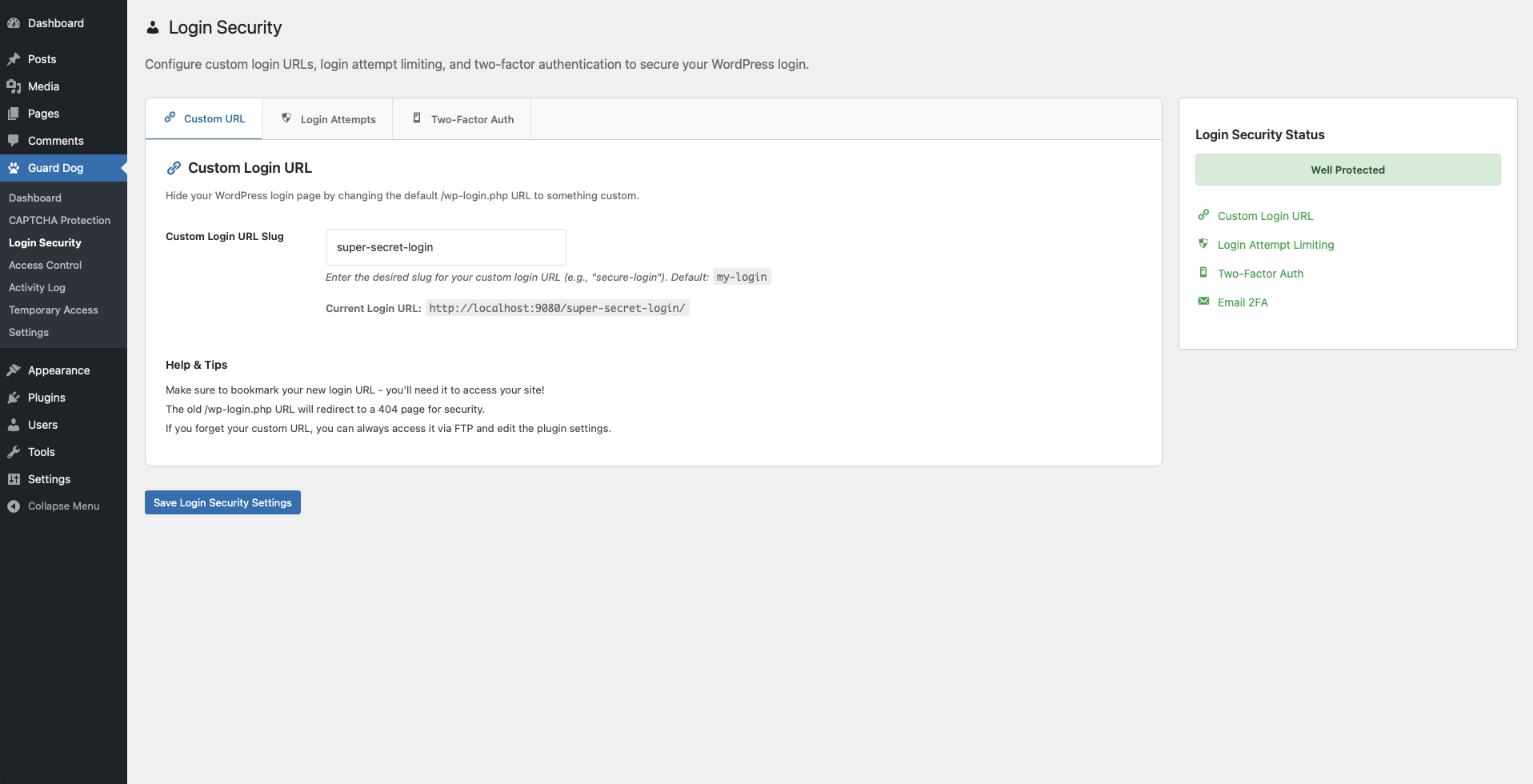
Move the login screen off wp-login.php and wp-admin so bots looking for the default address find nothing.
You choose the new address. No server or config edits, and it works on Apache, Nginx and LiteSpeed. Login links across WordPress update themselves.
CAPTCHA, your choice of provider
Google reCAPTCHA v2 or v3, hCaptcha, or Cloudflare Turnstile on login, registration, and password reset.
Google reCAPTCHA v2 or v3, hCaptcha, or Cloudflare Turnstile. reCAPTCHA v3 and Turnstile usually run invisibly.
Login attempt limiting
Lock out repeated failed logins with lockouts that expire on their own and can be released from the admin.
Lockouts go by address rather than account, so a stranger can’t lock a real user out. Five tries and fifteen minutes are the defaults, and you can change both.
User enumeration protection
Close the REST API, author archive, login error, XML-RPC, and oEmbed leaks that hand attackers your usernames.
The REST API user list, author archives, login errors, password-reset messages, XML-RPC user methods, oEmbed author data and registration errors. Repeat snoopers can be blocked automatically, and you can get an email while an attack is underway, or a daily or weekly summary.
- CAPTCHA choices
- 4
- Username leaks closed
- 7
- Lockout after 5 tries
- 15 min
02Security
 On duty Winston · Senior Boop Inspector
Stronger sign-in
Give users stronger ways in without making the login flow weird.
On its own, WordPresssigns people in with a username and a password, and nothing else.
Two-factor authentication
Authenticator app (TOTP) or emailed codes, with recovery codes so a lost phone is not a lost account.
Works with any authenticator app, like Google Authenticator, Microsoft Authenticator, Authy, 1Password or Bitwarden. Everyone gets 10 single-use recovery codes. Email codes need an email provider set up.
Passkeys
Phishing-resistant sign-in with Face ID, Touch ID, Windows Hello, or a hardware security key.
The private key never leaves the person’s device; your site only keeps the public half. Browsers only allow passkeys over HTTPS.
Social login
Google, Microsoft, Apple, GitHub, LinkedIn, and Facebook, with two-factor checks applied by default.
Magic Login
Optional single-use email sign-in links for existing accounts. Handy as a passkey recovery path.
Off until you switch it on. Links last 10 minutes by default, and you can pick anything from 5 to 30. Opening a link doesn’t use it up; the person confirms first, so email scanners can’t spend it.
- App codePassword, then a code from an authenticator app
- Email codePassword, then a code sent by email
- PasskeyFace ID, Touch ID, Windows Hello or a security key
- SocialGoogle, Microsoft, Apple, GitHub, LinkedIn or Facebook
- Magic linkA single-use sign-in link by emailFor existing accounts only
Two-factor comes with 10 single-use recovery codes per person.
- Social sign-in providers
- 6
- Recovery codes each
- 10
03Security
 Honorary Francine · Beak Compliance Officer
Account safeguards
Close the gaps WordPress leaves open by default.
On its own, WordPresslets people tick “Confirm use of weak password”, and a sign-up creates an account straight away, real inbox or not.
Password policy
Minimum length, character rules, common-password blocking, and password history that users cannot click past.
The rules apply at sign-up, password reset, profile changes and accounts an admin creates. Feedback shows in the browser as people type, and the server checks again before anything is saved.
Email verification
New registrations confirm their address before they can log in, which keeps bot sign-ups out.
Verification links last 48 hours by default. Anyone whose link runs out can ask for a fresh one from the login screen, and accounts an admin creates skip the check unless you change that.
Temporary user access
Everyday toolReal WordPress users for contractors and clients that expire on schedule and sign in by secure link.
Choose a role and a lifetime from 1 to 365 days, and cap the logins if you like. Guard Dog hands you the private link to send.
- Met: At least 12 characters
- Met: One uppercase letter
- Met: One number
- Not met yet: One special character
- Role
- Any WordPress role you pick
- Lifetime
- 1 to 365 days
- Logins
- Capped, if you like
- Sign-in
- Private link, no password to share
04Security
 On duty Penelope · Couch Access Control
Access and sessions
Decide who gets in, and see who is still logged in.
On its own, WordPressshows no list of which devices are signed in, and lets anyone try the login screen from anywhere.
Access control
Allow or block by IP address and range, for the login screen only or the whole site.
Block mode lets everyone in except the addresses you list. Allow mode lets in only the ones you list. Login rules can match usernames too.
Session management
See every active session, log out remote devices, and cap how many sessions one account can hold.
Each session shows its device, browser and location. People manage their own sessions, and admins can manage everyone’s.
Suspicious session alerts
Get notified when a logged-in session suddenly shows up from a different IP address.
Guard Dog checks signed-in requests against the address the session started from, and can compare locations across one account’s sessions.
Proxy and CDN aware
Detect real visitor IPs behind Cloudflare, load balancers, and managed hosts, with trusted proxy ranges.
Pick the IP detection method that matches your setup and add the proxy’s addresses as trusted proxies, so lockouts and logs see real visitors.
Active sessions, an example account
One session came from a new IP address.
- BlockAn IP range you don’t trustWhole site
- AllowYour office IP addressLogin screen only
Reason two
The everyday tools WordPress leaves out.
Not strictly security. Just the handy stuff you’d otherwise go plugin-shopping for, built into the same free plugin.
| WordPress, out of the box | With Guard Dog |
|---|---|
| A contractor gets a full account, and it stays until someone remembers to delete it. | Temporary accounts that delete themselves after the days or logins you set, with sign-in by private link. [03] |
| Nothing records who logged in or what they changed. | An activity log of logins, user changes, posts, plugins, themes and settings. [05] |
| The login screen wears the WordPress logo. | Your logo and colors on every login, reset and 2FA screen, and your theme’s header and footer if you like. [06] |
| Members manage their account on the wp-admin profile screen. | A login form, plus 2FA, passkey and session blocks, on any page you choose. [06] |
| Email goes out through your host’s PHP mail, as plain text. | Branded security emails through Amazon SES, Mailgun, Resend, SendGrid or Google, and every WordPress email too if you want. [06] |
05Everyday tools
 On duty Stella · Floor Tile Surveillance
Visibility
Know what happened, without slowing the site down.
On its own, WordPresskeeps no record of who logged in or what they changed.
Activity log
Everyday toolOver a hundred security event types, from logins and lockouts to settings changes, all translatable.
It covers security events, user changes, posts and comments, plugins, themes and settings, plus WooCommerce if you run it. Set a retention period and older entries clear themselves.
Debug logging
Component-level logs written to the WordPress debug log, with passwords kept out of them.
Turn on WordPress debugging, tick Enable Debug Logging, and each line is tagged with the Guard Dog feature it came from.
Light on your pages
Security checks run on login and admin screens and where you place Guard Dog blocks, not on regular page views.
CAPTCHA scripts only load on login and registration pages, and Guard Dog’s CSS and JavaScript only load where they’re needed.
- 09:02Login successfulSecurity
- 09:14Plugin activatedSystem
- 09:20User role changedUsers
- 09:31Post updatedContent
- 10:05Lockout startedSecurity
- 10:12Temporary access usedUsers
121 event types, every one translatable.
06Everyday tools
 Honorary Val · Head of Nest Infrastructure
On-brand and embeddable
Make the login flow look like your site, and put it anywhere.
On its own, WordPressputs its own logo on the login screen, keeps account settings in wp-admin, and sends plain-text email.
Login screen customization
Everyday toolYour logo, colors, and optionally your theme header and footer on every login, reset, and 2FA screen.
It covers wp-login.php, your custom login URL, password reset and 2FA screens. Theme headers and footers need WordPress 6.2 or later.
Frontend login form
Everyday toolA shortcode or block that puts a full login form on any page, with CAPTCHA, passkeys, and social buttons.
Drop in the block or [guard_dog_login_form]. Login limits, CAPTCHA, access rules and 2FA all still apply.
Account security blocks
Everyday toolLet members manage their own 2FA, passkeys, and sessions from your site instead of wp-admin.
Use one Account Security widget, or separate Two-Factor, Passkeys and Sessions blocks. Each one also comes as a shortcode.
Email templates and providers
Everyday toolBrand Guard Dog security emails and send them through Amazon SES, Mailgun, Resend, SendGrid, or Google.
Send just Guard Dog’s email through the provider, or route every WordPress email through it. App-based 2FA and passkeys don’t need one.
- Blocks for your own pages
- 7
- Email providers
- 5
On the roadmap
Still getting better.
Guard Dog ships steadily. Here’s what’s lined up next for the plugin.
- Next A CAPTCHA that never phones home ALTCHA: a self-hosted proof-of-work challenge. No third-party request, no tracking, nothing leaving your site.
Compatibility
Will it fit my site?
WordPress 6.0+ · Tested up to 7.1 · PHP 8.1+
HTTPS for passkeys
Browsers only allow passkeys on secure connections, so passkey sign-in needs your site on https://.
Details about https for passkeysClassic and block themes
Every frontend form ships as both a shortcode and a block. Theme headers and footers on the login screen need WordPress 6.2 or later.
Details about classic and block themesMultisite
Guard Dog works on WordPress multisite installations, including custom login URLs.
Details about multisiteProxies, CDNs, and managed hosts
Behind Cloudflare, Kinsta, WP Engine, or a load balancer? Pick the matching IP detection method so lockouts and logs see real visitors.
Details about proxies, cdns, and managed hostsOther security plugins
Usually fine alongside a firewall or malware scanner. Avoid stacking a second custom login URL or two-factor plugin, and test the combination on staging first.
Details about other security pluginsReliable email
Email 2FA codes need an email provider: Amazon SES, Mailgun, Resend, SendGrid, or Google. Magic Login can also use WordPress mail.
Details about reliable email
Every WordPress site deserves a guard dog.
Free from WordPress.org. Every feature on this site is in the plugin you install today.